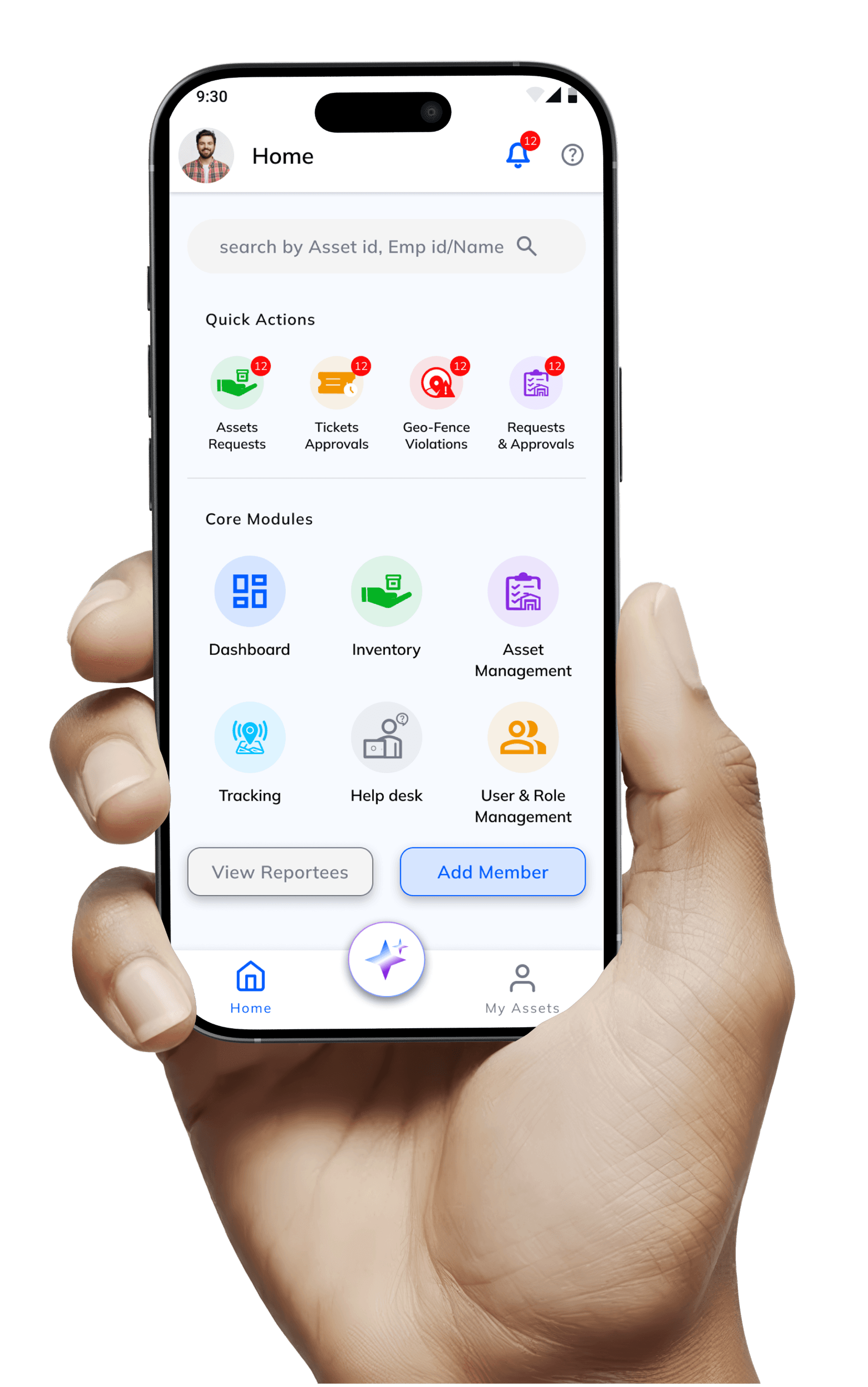
Enterprise teams were losing assets in spreadsheets. I designed the full procurement to inventory system, web and mobile that non-technical staff could use from day one.
UI/UX Designer
Role
Prowess Enterprise
Company
Web app, Mobile app
Platforms
B2B, SaaS, Internal tool
Type
April – June 2025
Timeline
The Problem
No Unified System
Enterprises lose hours every week because their asset tools are scattered, slow, and confusing.
Solution
Unified system
Centralize all assets and their lifecycle in one system. Reduce manual tracking and follow‑ups.
Responsibilities
Tasks
Understand existing processes and pain points. Design flows and interactive prototypes.
My Role
UI/UX Designer
Full Product design, research, wireframes, design system,prototyping, and developer handoff.

The Problem
Every enterprise needs a system. Most are using spreadsheets.
Every enterprise team manages assets, laptops, monitors, vehicles, tools but most do it across disconnected spreadsheets, email threads, and manual checklists. When someone needs to know where an asset is, who has it, or when it was last serviced, no one has a clean answer.
Businesses struggle to track assets across locations, leading to loss, delays, and poor visibility.
Admins drown in overloaded dashboards.
Existing systems are complex, hard to use, and lack real-time updates.
Procurement, onboarding, allocation, and disposal happened in completely separate tools with no connected audit trail.
Research & Discovery
Five completely different users. One product to serve all of them.
Before a single wireframe, I mapped every user type, their daily workflows, and where they hit friction. The single most important insight: designing for one persona would break the experience for the other four. Each role needed its own entry point into the same system.
Approve requests, monitor department assets, view KPIs and usage data
Manager
Pain : No dashboard that showed department-level data without pulling spreadsheets manually
Submit requests for assets, track approval status, Track current assigns.
Staff
Pain : Had to chase IT via email to find out what was assigned to them or where a request stood
Set up the system, control access, manage users and departments
Admin
Pain : Needs full visibility and control without an IT degree to operate the tool
Track stock, manage vendors, run procurement and approval workflows.
Inventory Manager
Pain : Existing tools required manual data entry and had no vendor relationship management
View and manage personally assigned assets from a simple dashboard
End User
Pain : No self-service option every question required a helpdesk ticket or IT intervention
Design Constraints
Design Process
Six stages. No guesswork.
Every stage had defined outputs before the next could start. This kept the project on track and ensured engineering never had to wait for design decisions.
1 – Research & Planning
Mapped all 5 user workflows across 6 modules. Identified pain points, data requirements, and approval hierarchies before touching Figma.
2 – Wireframing
Sketched procurement flows, onboarding steps, and allocation processes. Agreed on structure and sequence with stakeholders before any visual work.
3 – Interface Design
Designed forms that don't feel like homework. Tables that scan fast. Approval flows that show progress, not just buttons.
4 – Design System
Built on MUI components buttons, inputs, badges, tables, modals, so 250+ screens feel like one product, not a patchwork.
5 – Prototyping
Interactive prototypes for every key workflow so product and engineering could test decisions before writing a single line of code.
6 – Development & Handoff
Figma files with spacing tokens, component, states, interaction and Prototype. So that Engineers can built with zero ambiguity.
Solution
Some design decisions that made the system work.
Every solution decision was driven by a specific user pain point. Here's what changed, why it changed, and what it solved.
Breaking complex forms into steps people can actually finish
Simplified Forms
Multi-step wizard with progress bar so staff always know where they are and what's left to complete.
One job per step
Each step has one clear task — no cognitive overload from irrelevant fields appearing at the wrong time.
Smart defaults
Auto-fill and smart defaults reduce manual entry for repeat asset types, speeding up procurement.
Clear continuation
A single "Continue" CTA at every step eliminates confusion about how to proceed through the form.
One design system. 250 screens. Everything feels the same.
MUI foundation
Buttons, inputs, badges, tables, and modals all follow one rule set across every module and screen.
Learn once, use everywhere
Users learn interaction patterns in Module 1 and they work identically in Module 6 zero relearning.
Design Consistency
Spacing, typography, and color never drift across screens because consistency enforced automatically.
Dev-ready
Components, states, Styles all ready in Figma, mean engineers never had to guess intent or chase clarification.
Mobile-first data & critical metrics visible in seconds
Instant dashboard
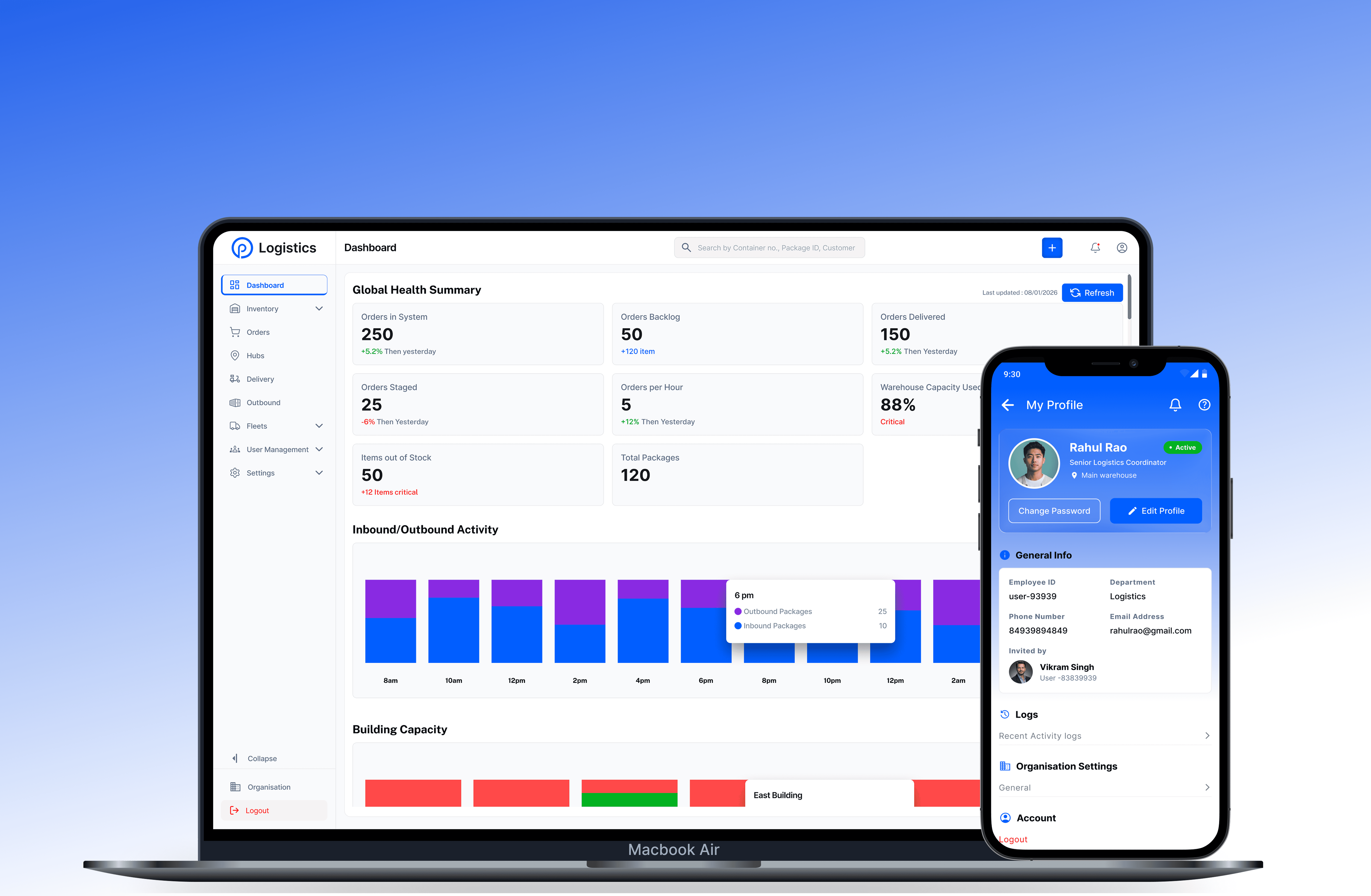
The 4 most critical metrics surface immediately active assets, pending requests, alerts, and allocations.
My Assets module
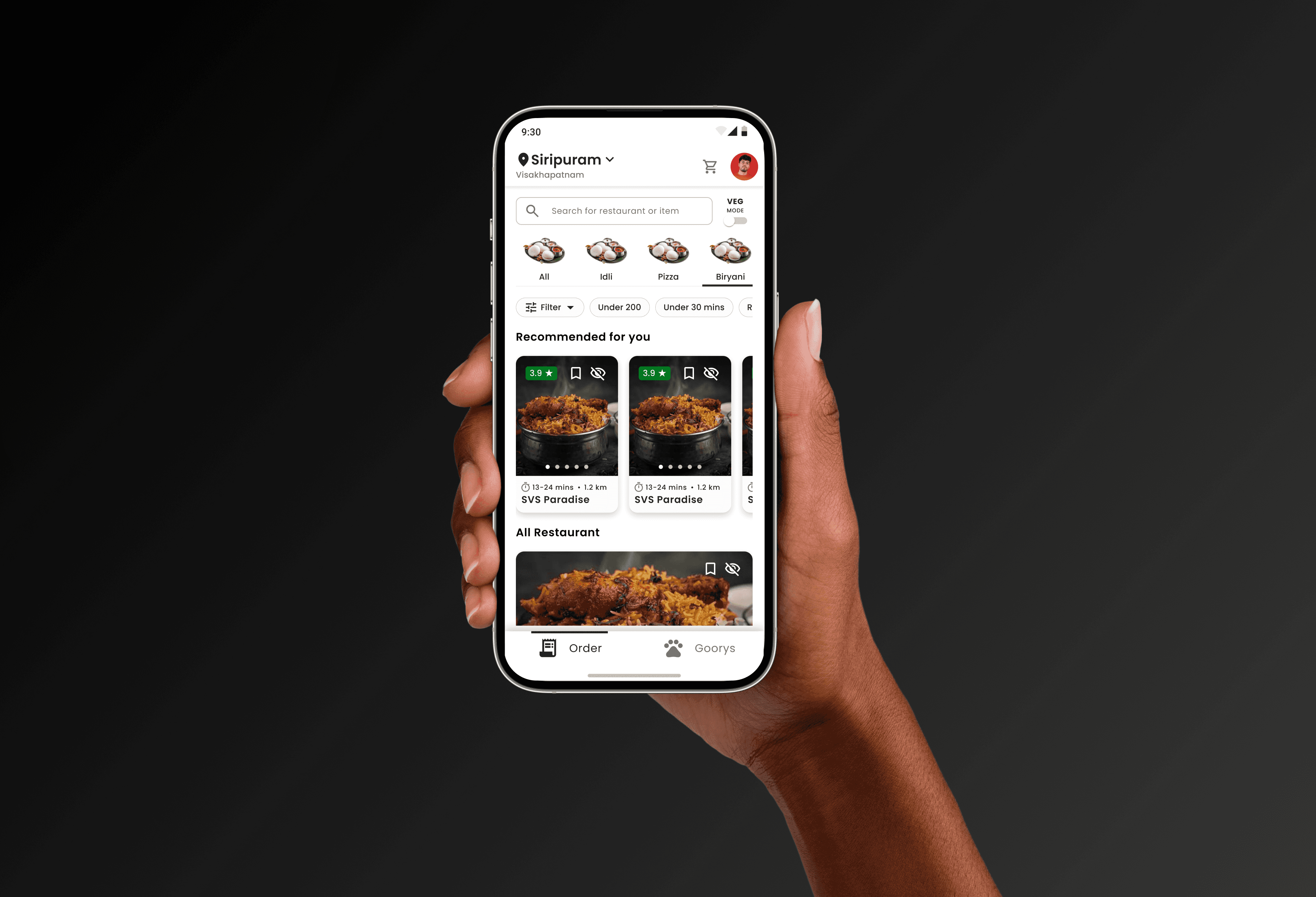
Mobile-first card layout means staff see their assignments and request status without a single tap.
Accessible status indicators
Color and label together never color alone so every status is readable regardless of ability.
Progressive disclosure
Overview cards load first, detailed tables appear on demand. No waiting, no deep menu navigation.
Role-based access that works without a manual
Granular permissions
Admins configure screen-level and action-level permissions per role powerful without being overwhelming.
Role based interface
Each user type sees only what their role permits. The interface adjusts itself no "permission denied" errors.
Invisible by design
Inaccessible actions are simply absent from the UI in daily use, so users never hit walls they can't explain.
Role inheritance
Adding a new staff member requires one role selection, not configuring 30 individual checkboxes manually.

And many more…………
Results & Impact
Delivered on schedule.
Used without training.
These are the numbers from the actual project delivery — not estimates, not aspirations. What was designed, what was shipped, and what the outcome was.
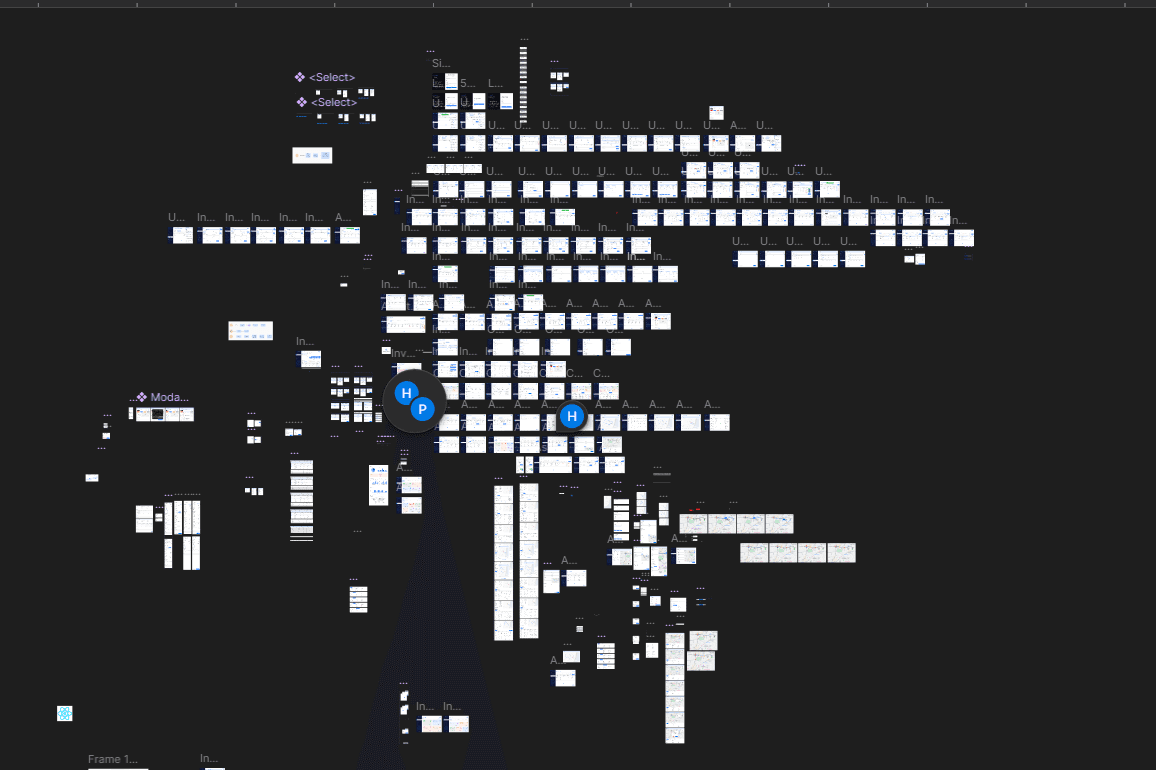
250+ Screens delivered Across 6 modules — procurement, onboarding, allocation, inventory, tracking, and IT support — all on a single design system.
So Many iterations cycles Engineers started building the right thing first try. Complete Figma specs with edge cases, and component states eliminated clarification back-and-forth.
The User Experience for Non-technical staff can use the system. Interfaces made sense from day one.
On-Time Delivery Full design system, 250+ wireframes, interactive prototypes, and marketing site - all delivered on schedule. most of the time.
What I Learned
Enterprise users don't need fancy. They need simple. Every button, every field, every step - it has to be just Simple & Clean.
Breaking big workflows into small steps builds confidence. People finish what they start when they can see progress.
Design systems aren't extra work, They're how you keep quality high when building at scale.
For Fulltime Opportunity
Download a following Resume and contact me